GitHub stars, are they bookmarks or thumbs up?
Sander van Dragt's Notes
-
-
Psh 0.3.0 Released
I've released Psh 0.3.0, my php subshell. Tired of switching tooling versions between PHP projects? Psh starts a shell with your project requirements linked ready to go.
-
The trick to relative symlinks
I learned this week that relative symbolic links are relative to the link not the current working directory. What does this mean?
To remind ourselves, the format of
lnis:ln -s {{/path/to/file_or_directory}} {{path/to/symlink}}Example
Say we have the following structure:
config/config.yaml
app/index.php
Say we want to create a symlink to
app/config.yaml. If we are familar with thecpcommand we would incorrectly do this:$ ln -s config/config.yaml app/config.yaml #this is incorrectHere, we're asking
lnto create a symlink inapp/config.yamlthat points toapp/config/config.yamlbecause the 'source' parameter is relative to the link being created, not the current working directory. As that file does not exist the command fails!Correct example:
$ ln -s ../config/config.yaml app/config.yaml #this is correct
$ cd app; ln -s ../config/config.yaml config.yaml; cd - #this is clearer
The first correct example can be difficult to comprehend unless we're familiar with this concept: From the perspective of the
app/config.yamlfile, we need to first go to the parent directory then into the config directory.This is clarified by the third example: by changing into the destination directory, we align the current working directory with the path to the source.
Notes
- If we create absolute symbolic links by providing the full path to the source file, this is avoided, however these links are more fragile. For example when syncing links the absolute path to the source is likely different on another device.
-
Someone should really come up with an improved version of
lnthat works conceptually more similar tocpin terms of relative paths. -
Syncing Wallpaper Images Spoon
As a macOS user with a multi monitor setup and a laptop I frequently switch between 1 to 3 screens. I use task related spaces (general, coding, organisation, social) and to reinforce this habit I installed some Unsplash wallpaper images relating to the task.
In some undefined situations I lose the wallpaper image on certain screens on certain desktops (I have already disabled reordering and removing spaces) but dragging wallpapers across multiple screens on multiple spaces is too much work; and why not see if this can be automated.
Thanks to Hammerspoon and a few minutes time you can benefit from my script:
-- SYNC WALLPAPER --
function sync_wallpaper()
    wp = hs.screen.primaryScreen():desktopImageURL()
    for index,screen in ipairs(hs.screen.allScreens()) do
        if screen:desktopImageURL() ~= wp then
            print('Syncing Wallpaper')
            screen:desktopImageURL(wp)
        end
    end
end

hs.spaces.watcher.new(sync_wallpaper):start()
-- /SYNC WALLPAPER --
Add this to your
.hammerspoon/init.luaand switch spaces to sync wallpapers to all screens on that space!By the way
I'm using the following wallpapers:
-
Cuttlefish 0.6
Cuttlefish simplifies creating and deploying PHP websites. In version 0.6 this focus continues by simplifying tooling friction and making routing and controllers more powerful.
-
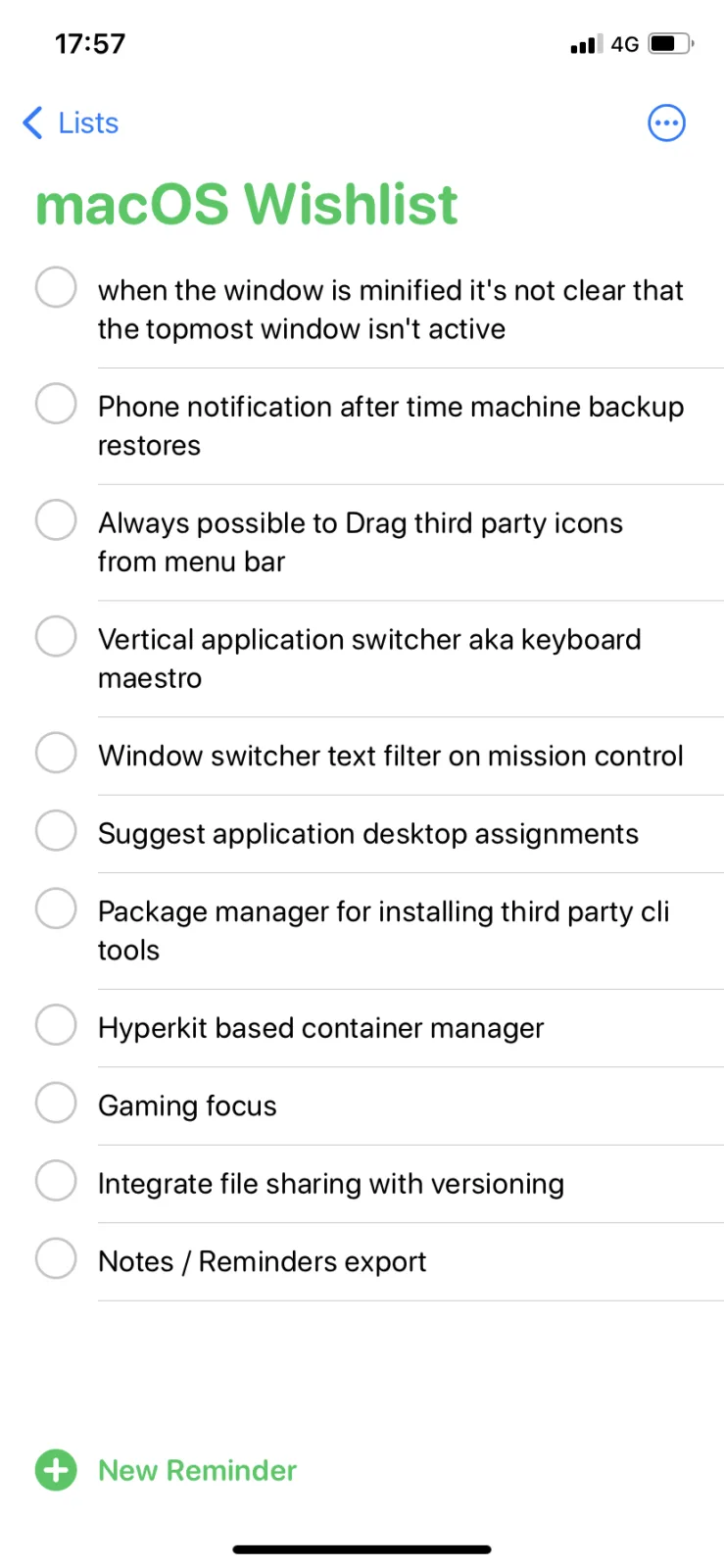
MacOS is done? Nope, I have a wishlist for next years WWDC
-
Do you know your CSS keywords? http://www.quirksmode.org/blog/archives/2021/06/inherit_initial.html
-
Pandan (https://sindresorhus.com/pandan) is a little macOS menu bar widget displaying how much time elapsed since your last break; no nags and it's a nice nudge to take breaks properly. Also check out the other software!
-
Three Finger Slash 1.0.0
This is a script for Hammerspoon that reorders the windows on the current screen in a reverse cascade, with the active window at the front left. It's very useful to view all windows at once and create order from a mess of windows.
The name refers to the shortcut used to perform the action: control-option-command+/. This shortcut is editable in the script.
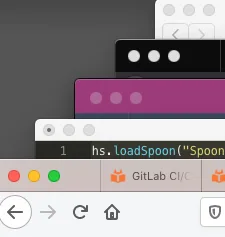
Easily access the windows after performing the Three Finger Slash More information on GitHub